
[ad_1]
Looking for an alternative to Mint?
Mint is a great product, but several other apps have been created in the last few years. Some of them have taken money management to a whole new level.
Check out this list of the best Mint alternatives to see if you might find a money app that you like better than Mint.
Note: Mint will be retired as an app in January 2024. The below list will be a great way to choose an alternative to Mint.
Top Alternatives To Mint
Finding the right budgeting tool is important. Here’s a little bit about how each Mint alternative works so you can decide for yourself.
1. Empower
Best Overall Mint Alternative
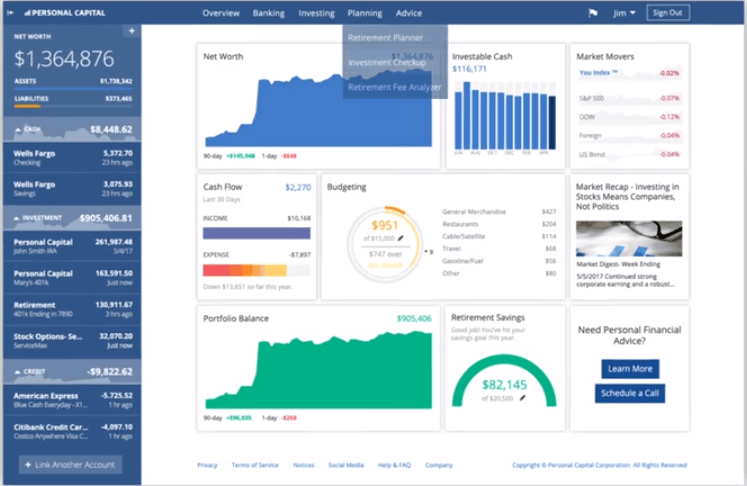
Empower is one of the best Mint alternatives. When it comes to money management apps, you’ll have a hard time beating Empower.
It has become a favorite of many personal finance aficionados.
Empower has two plans available. The first is basic personal finance software. This option is totally free. Here are some of its benefits.
When you sign up for the Empower free personal finance tool, you start by linking your accounts. You can link bank accounts, credit card accounts, investment accounts and more.
When you sign in to your Empower account, you’ll see a dashboard.
The dashboard will show you information such as:
- Your net worth
- Portfolio balance
- Retirement savings for the year
- Spending information by category
- Bill payment due date notifications
- Whether you’re on track with your designated budget
Empower offers many of the same features as Mint but with a lot more emphasis on investments. It’s a great tool to understand your total financial picture.
Both Mint and Empower have great tracking and budgeting tools. In that way they’re quite similar. Mint has its goal-setting feature, which is an added benefit.
Read our full Empower review.
2. Tiller Money
Best Spreadsheet Alternative To Mint
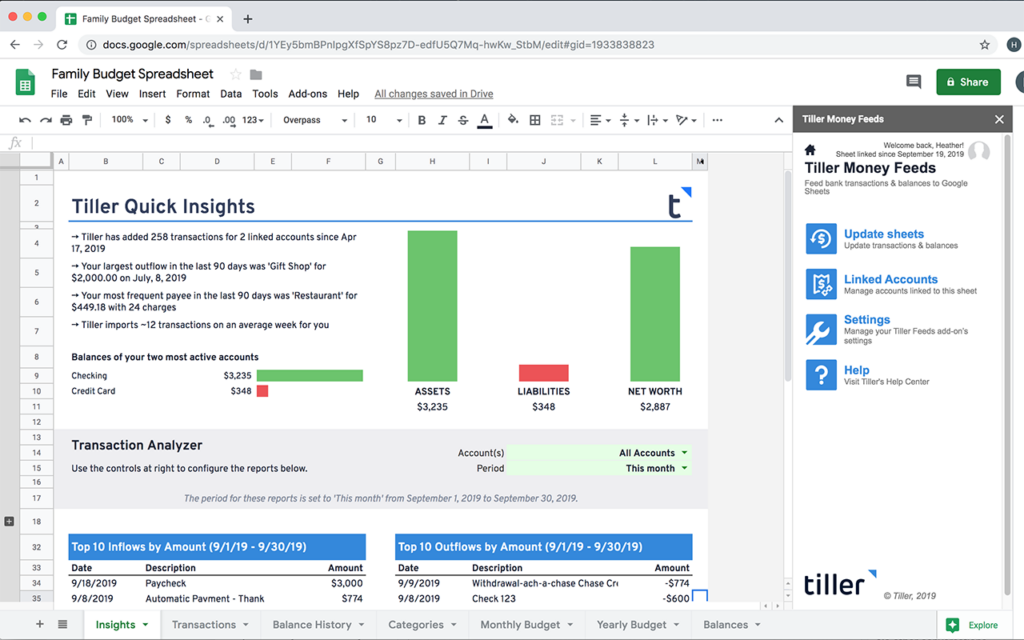
Tiller Money is an alternative to Mint that helps you manage your money using spreadsheets. It works with both Excel and Google spreadsheets.
Tiller starts you off by having you sync up your bank, loan and other accounts. Then it lets you create customized spreadsheets to begin tracking and budgeting.
It has a variety of spreadsheet templates:
And others. In addition, you can create your own custom spreadsheets if you choose. The interface is very easy to use. The platform costs $79 a year.
Read our Tiller Money review.
3. You Need a Budget (YNAB)
Best Budgeting Tool As An Alternative to Mint.com
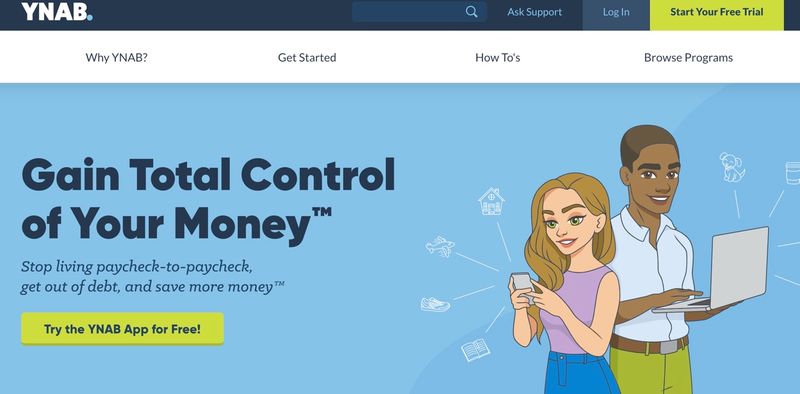
You Need a Budget (YNAB for short) was founded by a college student named Jesse Mecham. He and his wife had a super small income but still had to find a way to pay the bills.
They created the YNAB budgeting plan, which consists of four basic rules:
- Give every dollar a job
- Embrace your true expenses
- Roll with the punches
- Age your money
The YNAB website says that the average new user will save $200 in the first month alone. YNAB can help you create your budget, track your spending, create and track goals, form a debt payoff plan and more.
Both Mint and YNAB do a fabulous job at helping you budget. They both have user-friendly interfaces and continue to work on improving and adding features.
But the main difference between the two is the cost. YNAB is $84 per year. Mint is free. Note that students do get YNAB free for the first year.
And YNAB has a free 34-day trial so you can try it out at no cost.
Read our full YNAB review.
4. EveryDollar
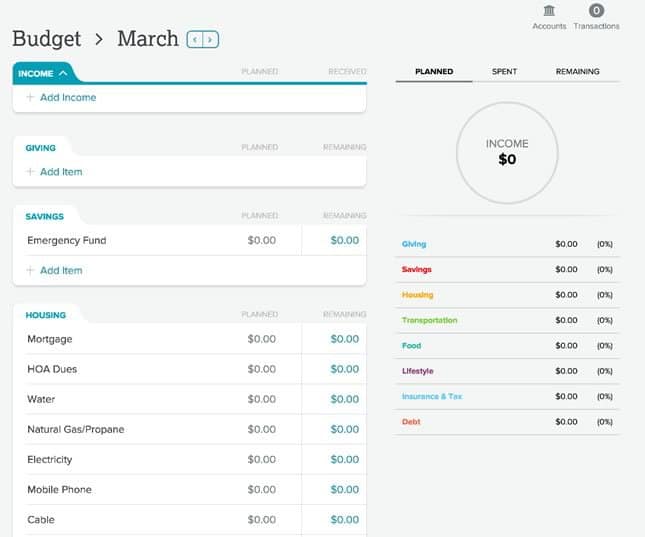
The EveryDollar budgeting tool was created by popular personal finance expert Dave Ramsey. It helps you manage your money on the premise of a zero-sum budget.
In other words, give every dollar a job.
It doesn’t offer much for features besides budgeting, but the program is easy to use. In addition, it shares Ramsey’s baby steps in case you want to take your finances to a higher level.
EveryDollar’s free version requires you to enter your transactions manually. However, you can purchase another version: EveryDollar Plus.
The Plus version will sync your transactions up automatically, but it comes at a cost. It’s $99 per year ($8.25 per month) for the Plus version.
Read our full EveryDollar review.
5. Quicken
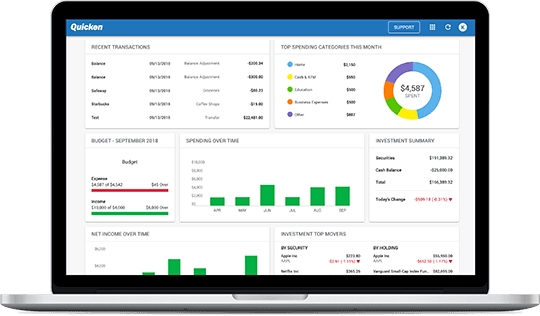
Quicken is one of the most well-known alternatives to Mint. It was the pioneer budgeting tool.
Quicken has four plans available ranging from $34.99 – 89.99 per year. Which really isn’t bad if you break it out per month it would be $2.91 – $7.49 per month.
Both Quicken and Mint allow you to import your transactions automatically. In addition, both allow you to monitor your credit score and both send weekly email summaries.
However, Mint has a couple of great features that Quicken doesn’t. First, Mint’s email alerts about bills and fees are a gem. They help ensure you won’t make any payments late.
Second, Mint calculates your net worth and clearly displays that number at the top of your home screen. To me, this is a great feature. It helps me see where I am and gives me the motivation to improve.
Quicken still wins for having a wider variety of plan choices, but Mint does have enough features for most basic budgeters. Plus, it’s free, whereas Quicken’s plans are not.
Related Article: 15 Best Quicken Alternatives
6. CountAbout
CountAbout is an app that features automatic transaction syncing as well as customizable income and spending categories and tags.
One neat feature about CountAbout is that it’s the only budgeting tool that allows you to import data from Quicken and Mint. This is a great feature if you’re interested in making a switch.
CountAbout has two versions: the basic version, which is $9.99 per year; and the premium version, which is $39.99 per year.
7. PocketSmith
PocketSmith was founded by a group of people from New Zealand.
They have three plans you can choose from:
- A basic plan that’s free and requires manual imports of transactions
- A premium plan that costs $9.95 a month and imports transactions automatically for 10 accounts
- A “super” plan that costs $19.95 a month and allows you to add unlimited accounts
The app also has a “projection” feature that allows you to see six months or more into the future. It shows you your financial future at a glance, based on your current income and spending.
The free plan gives you a six-month projection. The Premium plan gives you a 10-year projection. And the Super plan gives you a 30-year projection. This can be a nice feature.
8. Status Money
Status Money is one of the newer apps as an alternative to Mint that has a lot of the features that Mint does. It allows you to track your money by auto-syncing your bank accounts. And like Mint, Status Money is free.
One added benefit of Status Money is that it gives you the option to see how other members are saving and spending. The site gives you charts that compare your saving and spending numbers to those of your peers.
You can use the peer group that Status Money creates for you, but you can also create your own peer group and share numbers with your friends.
This can make for some fun motivation to improve your money situation.
9. Qube Money
We love Qube Money because they offer a digital envelope system. Yes, a digital envelope system, that helps you stay on budget.
Qube is easy to use. After you open an account, you deposit money from your main bank account into your Qube account.
You can also set up Direct Deposit from your employer into Qube as opposed to your regular bank account.
Qube is FDIC-insured and even allows you to get direct deposit two days earlier.
You then create individual Qubes (envelopes) for the money to be allocated. Every dollar has an assignment. Therefore, there is no room for unplanned spending.
Related Article: Qube Money Review
10. Copilot
Copilot is one of the newest budgeting apps. In fact, you can import your Mint app data right to Copilot. This is a great feature considering Mint will expire in January of 2024.
This app was created by a former Google tech genius, so the UI is spot on. Based on our research, most users felt the data after downloading was pretty accurate when it came to categories.
One of the features we like is that the app is able to track your recurring transactions. What this means is that it helps you plan your budget to know where the money is going and what is left to help you plan ahead.
For example, if you have a school payment and mortgage due on the 1st, you can see what is available for your electric bill. Which obviously will fluctuate throughout the seasons.
With a 4.8 Star rating out of 5 stars with over 8K reviews on the Apple Store, most users felt the $70 annual cost was manageable.
Mint Alternative Comparison Table
| Company | Trustpilot |
| Empower | 3.8 |
| Tiller Money | 3.5 |
| You Need a Budget | 3.8 |
| Everydollar | 3.6 |
| Quicken | 3.6 |
| Status Money | N/A |
| Countabout | N/A |
| Pocketsmith | 2.9 |
| Qube Money | N/A |
| Copilot | N/A |
Summary
Mint has some terrific budgeting features for users and at no cost to you. However, there are many other budgeting options out there.
Depending on your preferences and your budget, you might find a Mint alternative better for you. However, if you’re looking for basic and free, Mint should cover you just fine.
Its main competition is Empower, which offers a lot more features for the same amount of money: FREE.
Not to mention the affordable investment management fees are an added bonus if you want Empower’s help managing your wealth.
[ad_2]
Source link
